
Download Tiggit – Free Indie Games, Game Client, Indie Gaming Platform, Free Games Download, Free Game Library
Overview
Tiggit is a dedicated game client designed to serve as a centralized hub for free independent games. Unlike mainstream platforms that focus on commercial releases, Tiggit specializes in curating a library of high-quality, free indie titles. With over 500 games available, the platform offers a diverse range of genres, from strategy and adventure to action and roguelike experiences. It caters primarily to indie game enthusiasts, casual gamers, and those seeking accessible entertainment without financial commitment.
The platform functions as a digital distribution tool, enabling users to discover, download, and install games directly through its interface. Its core purpose is to democratize access to independent game development by providing a space where creators can share their work with a global audience. This model supports emerging developers while giving players a rich selection of unique and often experimental content not typically found on commercial platforms.
Although the developer did not provide additional technical details about the team or company background, the app has been active since its release on July 25, 2013, indicating a long-standing presence in the indie gaming ecosystem. Real-world use cases include hobbyist gaming, game discovery for developers, and educational exploration of game design. For users seeking a lightweight, no-cost alternative to Steam or Desura, Tiggit presents a focused and efficient solution.
Key Features & Functionality
- Extensive Free Library: Tiggit hosts over 500 free indie games, offering a broad selection across multiple genres. This collection includes both well-known titles and niche gems, providing players with consistent access to new and unique experiences.
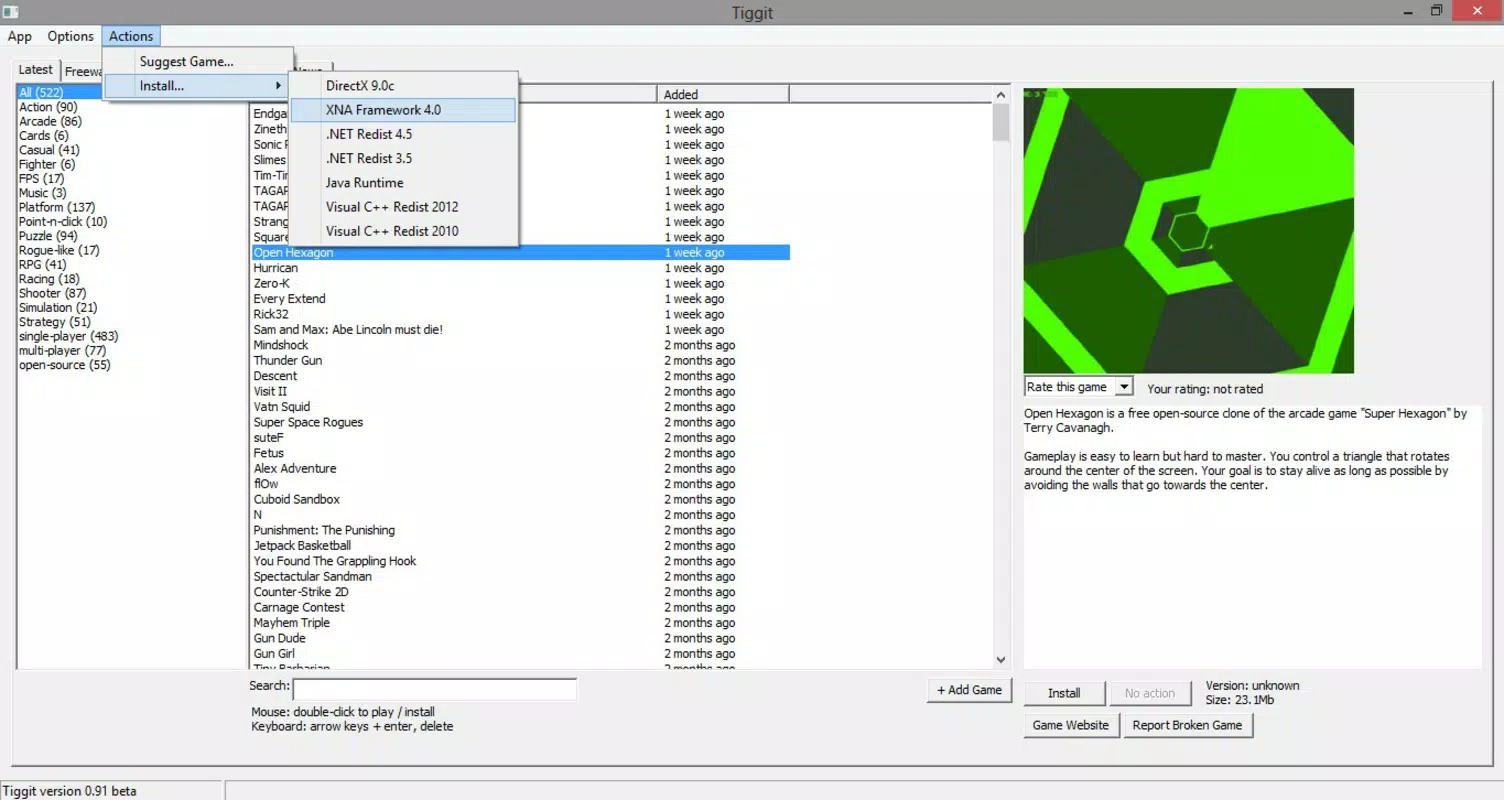
- User-Driven Game Suggestions: The platform allows users to propose new games for inclusion in the library. This community-powered approach ensures the catalog remains dynamic and reflective of player interests, fostering engagement and ownership among users.
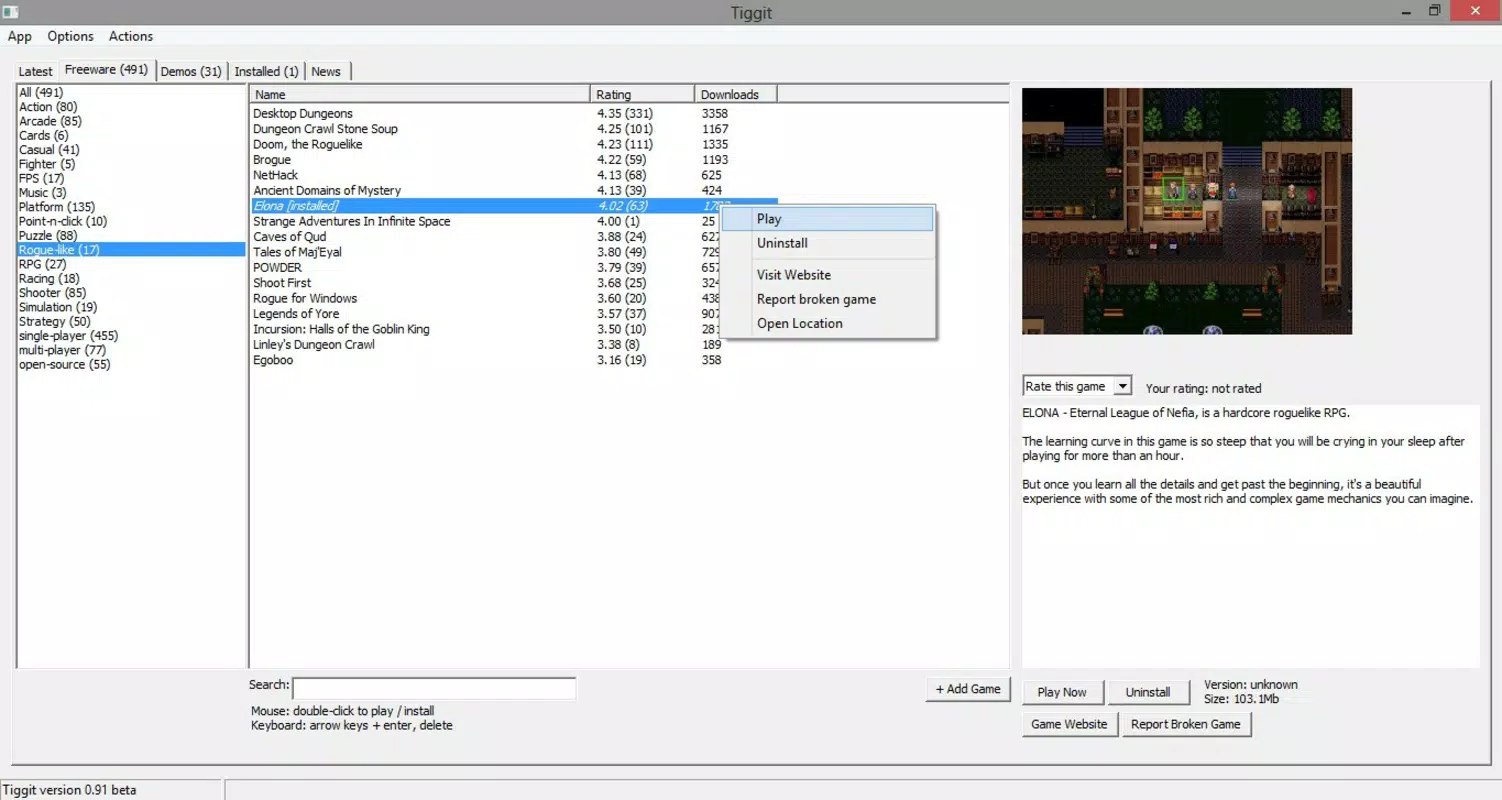
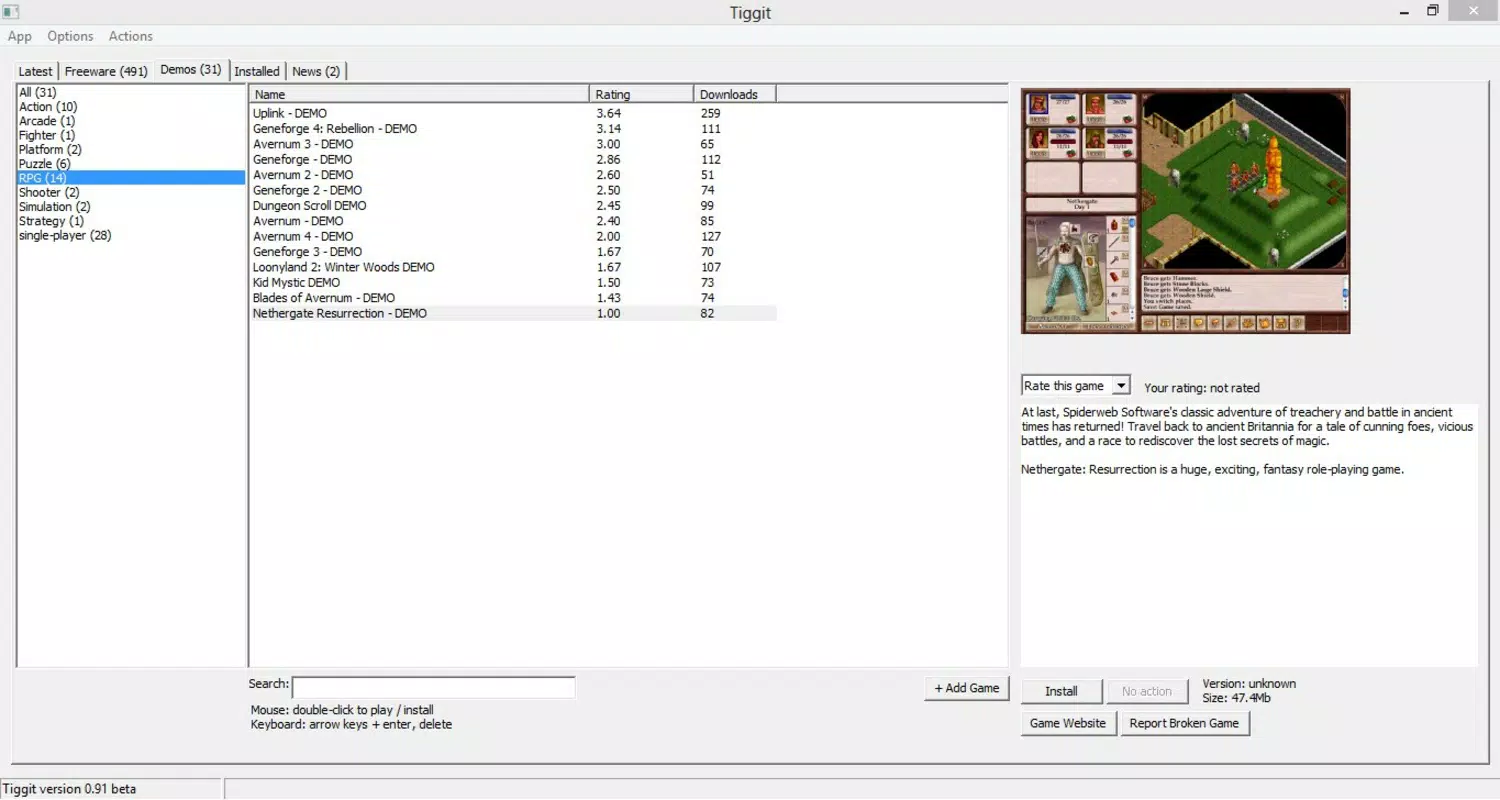
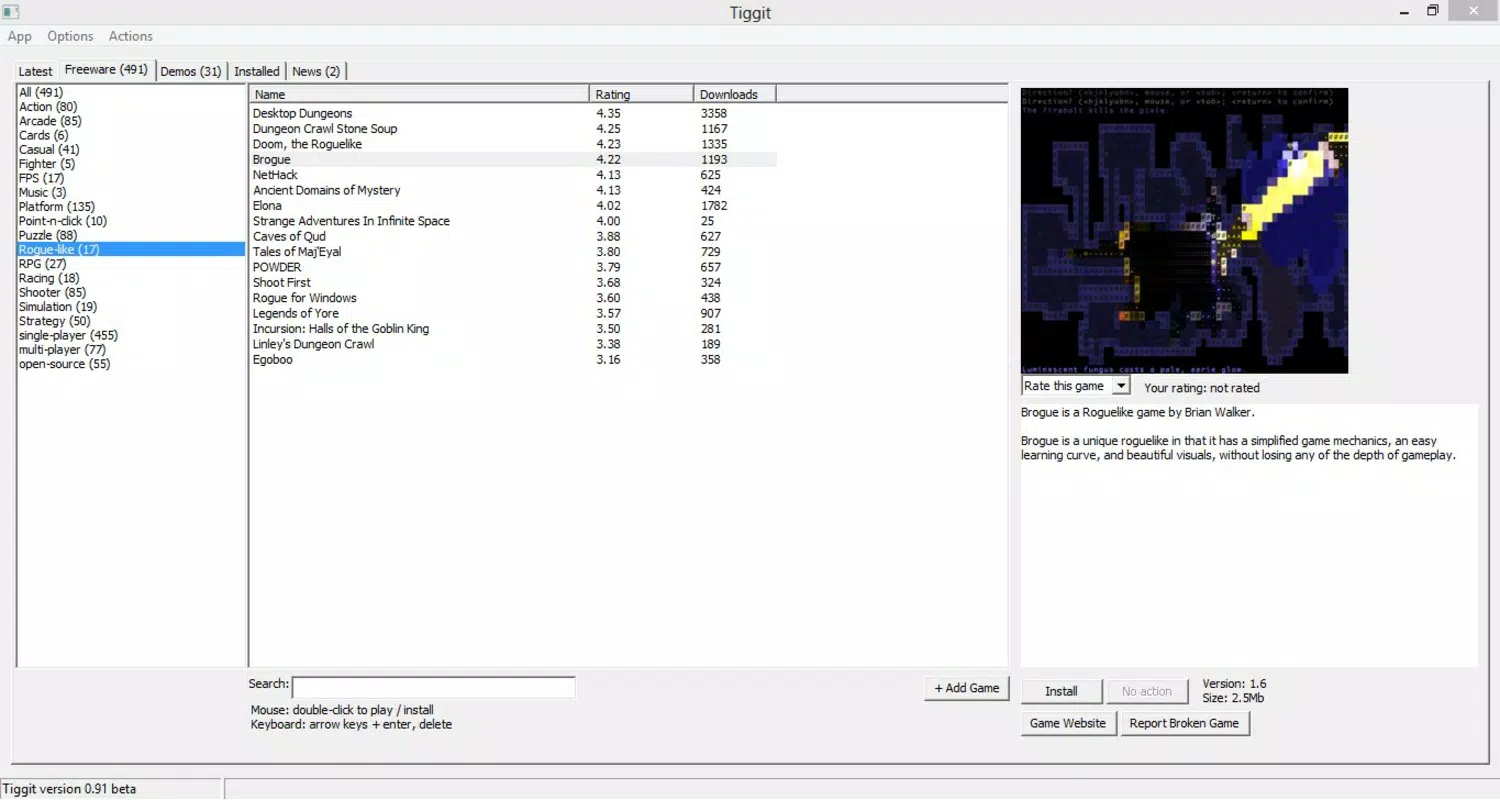
- Intuitive Interface: Designed with simplicity in mind, Tiggit’s interface enables seamless navigation through game categories such as FPS, Adventure, and Roguelike. Clear visual organization and accessible game details enhance the user experience, particularly for newcomers to indie gaming.
- Quick Installation Process: Games can be installed with minimal effort—typically via a double-click—initiating a fast download and setup process. This efficiency allows users to begin playing within minutes, reducing friction between discovery and gameplay.
- Diverse Game Genres: From classic strategy games like FreeCiv to fast-paced shooters such as Xonotic, Tiggit delivers genre variety that appeals to a wide audience. This diversity encourages exploration beyond mainstream titles and supports the discovery of under-the-radar indie innovations.
These features collectively create a streamlined experience for users who value accessibility, variety, and community involvement. For example, a player interested in retro-style platformers can quickly locate and install a title from the platform’s curated list, while a developer can contribute a new game via the suggestion system, directly influencing the platform’s content.
Interface, UX & Performance
Tiggit’s user interface emphasizes clarity and ease of use. The layout is clean, with categorized game listings and consistent visual cues that guide navigation. Users can browse by genre, search for specific titles, or explore featured games without encountering clutter or confusion. The design avoids unnecessary complexity, making it suitable for both experienced gamers and those new to indie titles.
Navigation flows logically from category selection to game detail viewing and installation. The double-click installation method reduces steps, enhancing the sense of immediacy. Although the developer did not list formal performance metrics, the app’s file size of 28.5 MB suggests a lightweight footprint, likely contributing to fast load times and minimal system resource usage.
Responsiveness appears to be optimized for the target platform, though specific performance data across device categories was not disclosed. Stability is implied by the app’s long-standing operation since 2013, suggesting reliable functionality over time. Users can expect smooth interactions during browsing and installation, with no reported issues in the available information.
Platform Compatibility & Technical Requirements
Tiggit is designed for the Windows operating system and is compatible with the latest versions of Windows as of its current release. The application is available in a standalone package with a file size of 28.5 MB, indicating a compact and efficient installation. The current version is 1.1.1, reflecting ongoing maintenance and updates.
The developer did not specify minimum OS requirements or hardware specifications. Compatibility information was not fully disclosed. However, the small file size and focus on a single platform suggest broad compatibility with most modern Windows devices, including older systems with modest resources.
Pros and Cons
Pros
- Offers over 500 free indie games with diverse genres
- Supports user contributions to expand the game library
- Simple, intuitive interface enhances usability
- Fast installation process with minimal user effort
- Lightweight application at only 28.5 MB
Cons
- Platform limited to Windows only
- Specific technical requirements were not listed
- Limited information about update frequency and support
- No mobile or macOS version available
- Community features may be underdeveloped without further details
FAQ
Is Tiggit safe to download and use?
Yes, Tiggit is a legitimate game client that distributes free indie games. As with any third-party software, users should ensure they download from official sources to maintain security.
Can I play games on Tiggit without an internet connection?
Games downloaded through Tiggit can typically be played offline after installation. However, initial access to the platform requires an internet connection.
Are the games on Tiggit truly free?
Yes, all games available on Tiggit are free to download and play. The platform focuses exclusively on free content, with no paywalls or hidden costs.
Does Tiggit support games from other platforms?
Currently, Tiggit is designed for Windows only. There is no official support for macOS, Linux, or mobile platforms.
How often are new games added to the library?
New games are added based on user suggestions and developer submissions. The update frequency depends on community contributions and curation efforts, though specific timelines were not disclosed.
Final Thoughts
Tiggit stands out as a focused, efficient platform for discovering and playing free indie games. Its user-driven model, combined with a clean interface and rapid installation process, makes it a compelling alternative for gamers seeking quality content without cost. While it is limited to Windows and lacks detailed technical documentation, its strengths in accessibility, variety, and community engagement outweigh these constraints for its target audience.
Indie game lovers, casual players, and developers exploring new distribution channels will find significant value in Tiggit’s offerings. It delivers a streamlined experience that prioritizes discovery and immediate play. For those looking to expand their gaming library with free, high-quality titles, Tiggit remains a relevant and practical choice.
Download Tiggit now


